
Pay with PayPal
Step 1 of 4
Open SEAGM and buy Binance Gift Cards worth your order total or a little more
USDT or USDC: both work. Mix cards to get close to your total, for example 50 + 10 + 10 for $70 (up to 5 codes). Together they must be worth at least your total, never less.
More than one card? Tap the yellow cart button on each card, then pay for all of them together. Paste every code on your order page.
Buy only a Binance Gift Card (USDT or USDC) that says Global. A code locked to one region (for example EUROPE or UNITED STATES) may not work.
Open SEAGM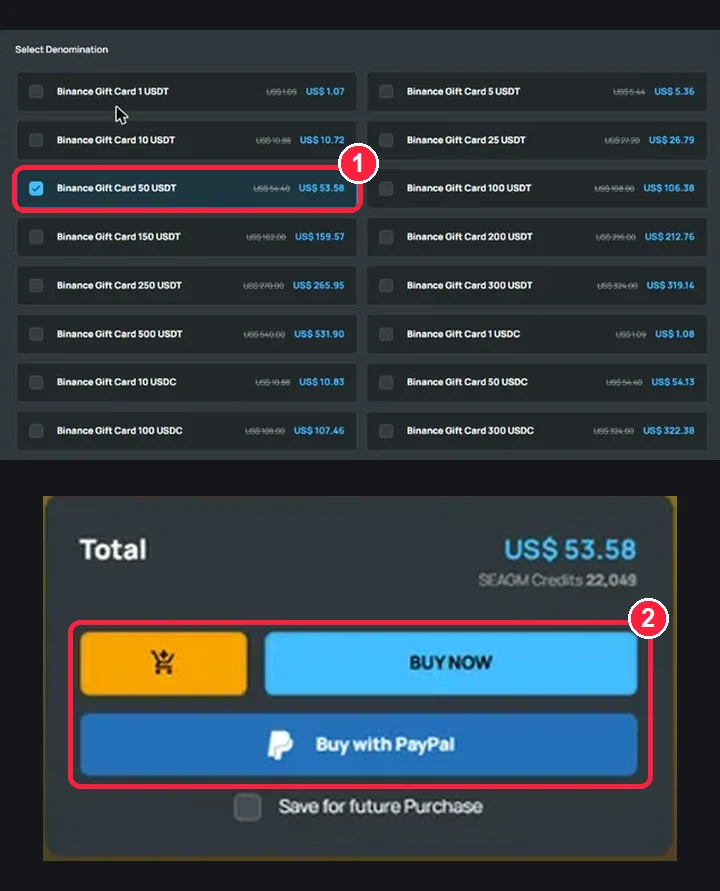
- Pick the USDT card the step names (more than one: tap the yellow cart button on each).
- Card: tap BUY NOW. PayPal: tap Buy with PayPal.
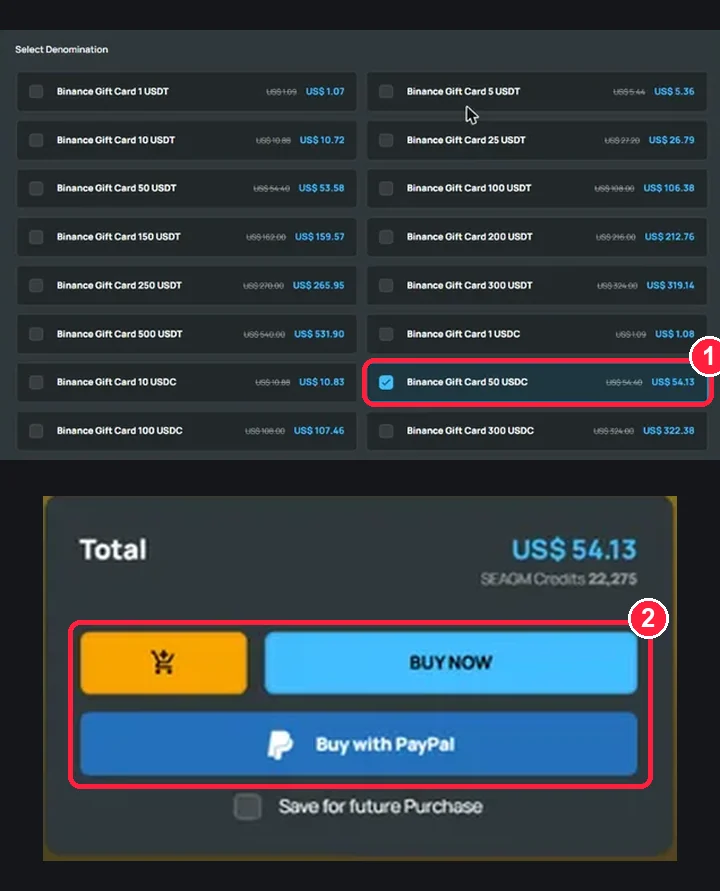
- Or the USDC cards the step names: they work the same.
- Then BUY NOW (card) or Buy with PayPal.
PayPal not working on SEAGM? Pay with PayPal through Skine instead: buy a Visa gift card there, turn it into a virtual Visa on Rewarble (rewarble.com/redeem), then buy the Binance code on Eneba or G2A with it.
Open Skine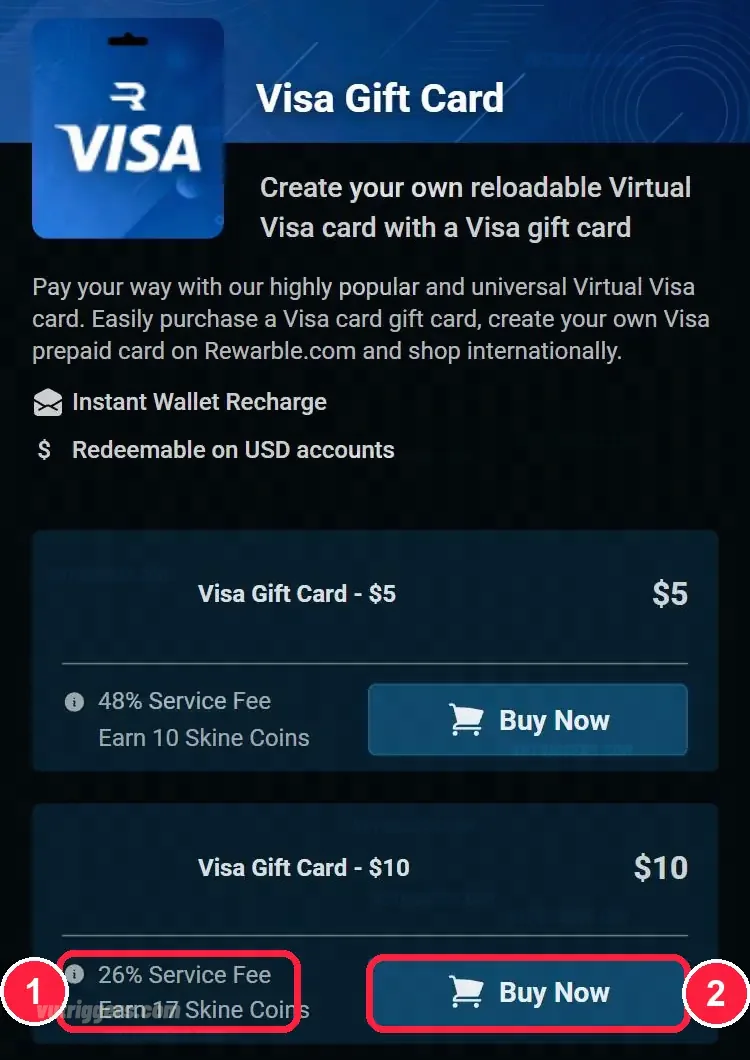
- Pick an amount a little above your order total.
- Tap Buy Now and pay with PayPal.
Stuck? Message us in the chat
Good to know
- Keep your codes private. Only paste them on your order page on vutriggers.com. We never ask for codes by chat or DM.
- Prices and fees on SEAGM, Skine, Rewarble, G2A and Eneba are set by them, not by us. We are not affiliated with them.
Screenshots show the public pages of these services; drawings are simplified and may look different. PayPal, Visa, SEAGM, Skine, Rewarble, G2A, Eneba and Binance are names of their respective owners.